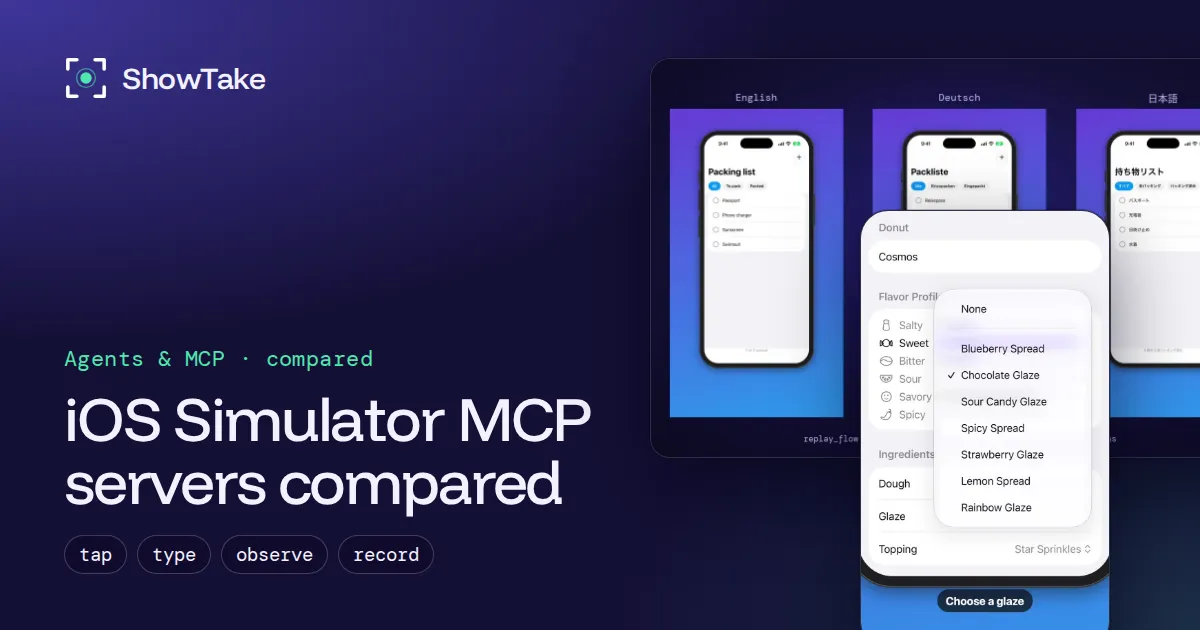
An iOS Simulator MCP server gives your coding agent hands and eyes in the Simulator: it lists the elements on screen, taps and types, swipes, takes screenshots and, in some cases, records video. The four servers most developers use in November 2026 are ios-simulator-mcp (small and focused), MobileBuildMCP (formerly XcodeBuildMCP: build, run and drive in one), Mobile MCP (iOS and Android, simulators and real devices) and ShowTake (drives the app to film polished demos and App Store media). Pick by what you want at the end: a verified fix, a working build, cross-platform tests or a video.
We read each project's README and tool list on November 12, 2026, and ran ShowTake on an iPhone 17 Pro simulator (Xcode 27.2, iOS 27) for the clips below.
The short answer
| If you want to... | Use | Why |
|---|---|---|
| Let the agent check its own UI change with a few taps and a screenshot | ios-simulator-mcp | Fewest tools, quick to add |
| Build, install, run, debug and drive the app from one server | MobileBuildMCP | Wraps xcodebuild, simctl, LLDB and UI automation |
| Drive iOS and Android, simulators and real devices, with one set of tools | Mobile MCP | Same tools on every platform |
| Get a finished demo video, App Preview or App Store screenshots | ShowTake | Films the take, zooms on taps, exports every size |
They are not exclusive. Each server registers under its own name, so many teams run Xcode's own server for the code (Xcode MCP), one of these for driving, and ShowTake when it is time to film.
The four servers side by side
| ios-simulator-mcp | MobileBuildMCP | Mobile MCP | ShowTake | |
|---|---|---|---|---|
| Maker, license | Joshua Yoes, MIT | Sentry, MIT | Mobile Next, Apache-2.0 | ShowTake, closed source (free plan) |
| GitHub stars (Nov 12, 2026) | about 2,200 | about 6,600 | about 10,500 | n/a |
| Runs as | npx ios-simulator-mcp | Homebrew or npx mobilebuildmcp mcp | npx @mobilenext/mobile-mcp | Mac app with a built-in MCP helper |
| Extra install | Facebook IDB (idb_companion + fb-idb) | none beyond Xcode | Xcode command line tools (Android SDK for Android) | none beyond Xcode; AXe is bundled |
| Reads the screen as | Accessibility tree + screenshots | UI snapshot with element refs + screenshots | Accessibility tree, screenshots as fallback | Compact element list (role, label, id, frame) |
| Builds your app | No (installs a built .app) | Yes | No (installs a built app) | Yes, Release build into a clean simulator |
| Platforms | iOS Simulator | iOS Simulator and devices, macOS | iOS and Android, simulators, emulators, real devices | iOS Simulator, Mac apps |
| Records video | Yes, raw simctl recording | Yes, raw simulator recording | Yes, raw screen recording | Yes, rendered: zooms, captions, music, every export size |
| App Store screenshots and App Previews | No | No | No | Yes, validated against Apple's specs |
| Replays a flow without the agent | No | No | No | Yes |
Star counts and tool lists change weekly; check each repository before you decide.
ios-simulator-mcp: small and focused
ios-simulator-mcp is the server most people meet first. It has the tools an agent needs to check its own work: ui_describe_all and ui_find_element read the accessibility tree, ui_tap, ui_type and ui_swipe act, ui_view and screenshot look, record_video and stop_recording wrap simctl, and install_app, launch_app and list_apps manage the app.
# Needs Facebook IDB first (idb_companion + fb-idb), see the project's TROUBLESHOOTING.md
claude mcp add ios-simulator npx ios-simulator-mcpGood fit: "after you change the settings screen, open it in the Simulator and check that the toggle is there." Less good: building the app (do that with Xcode or another server) or anything you will show to customers.
MobileBuildMCP (formerly XcodeBuildMCP): build, run and drive
MobileBuildMCP is Sentry's server, renamed from XcodeBuildMCP. It is the broadest of the four for iOS work: project discovery, build_run_sim (build, install and launch in one call), tests, coverage, LLDB debugging, simulator management (sim_statusbar, set_sim_appearance, set_sim_location), UI automation (snapshot_ui, tap, type_text, swipe, gesture, screenshot) and record_sim_video. It can also forward calls to Xcode's own MCP bridge.
brew tap getsentry/xcodebuildmcp && brew install mobilebuildmcp
claude mcp add mobilebuildmcp -- mobilebuildmcp mcpGood fit: an agent that should own the whole build, run and debug loop without Xcode open. Its many tools cost context; it lets you turn workflows on and off to keep the list short.
Mobile MCP: one tool set for iOS and Android
Mobile MCP targets teams that ship on both platforms. The same tools (mobile_list_elements_on_screen, mobile_click_on_screen_at_coordinates, mobile_type_keys, mobile_swipe_on_screen, mobile_take_screenshot, screen recording, app install and launch) work on iOS simulators, Android emulators and real devices. It reads the accessibility tree first and falls back to screenshots, which keeps image tokens down.
claude mcp add mobile-mcp -- npx -y @mobilenext/mobile-mcp@latestGood fit: cross-platform test flows and real-device checks. It does not build your app.
ShowTake: drive the app and film the demo
ShowTake is the one built for the output people see. The agent prepares the app with prepare_ios (Release build, a clean simulator cloned from ShowTake's golden device with the status bar at 9:41, install and launch), reads the screen with observe, acts with tap, type_text, swipe, scroll and press, and wraps the important part between start_take and end_take. Every action is logged with its time and the element's frame, so the render zooms on exactly what was touched and turns your step captions into on-screen captions.
claude mcp add --scope user showtake -- "/Applications/ShowTake.app/Contents/MacOS/showtake-mcp"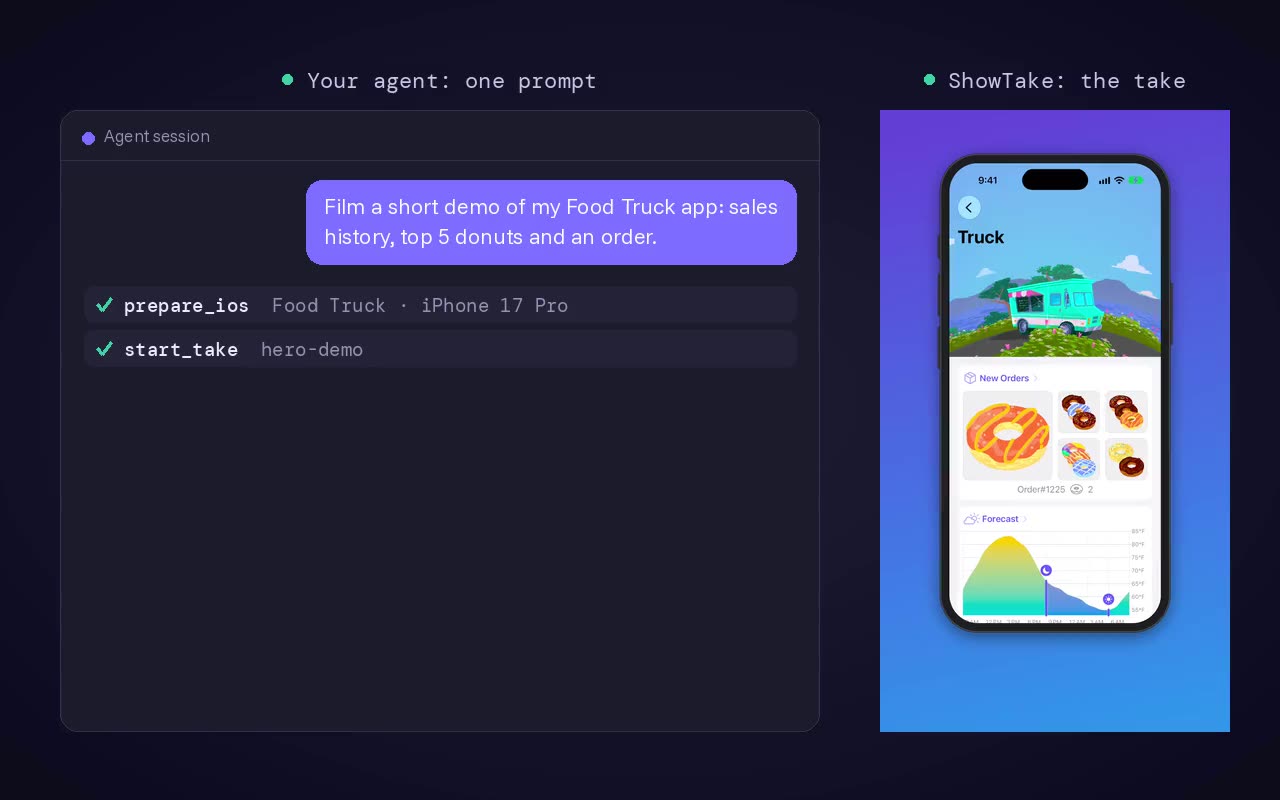
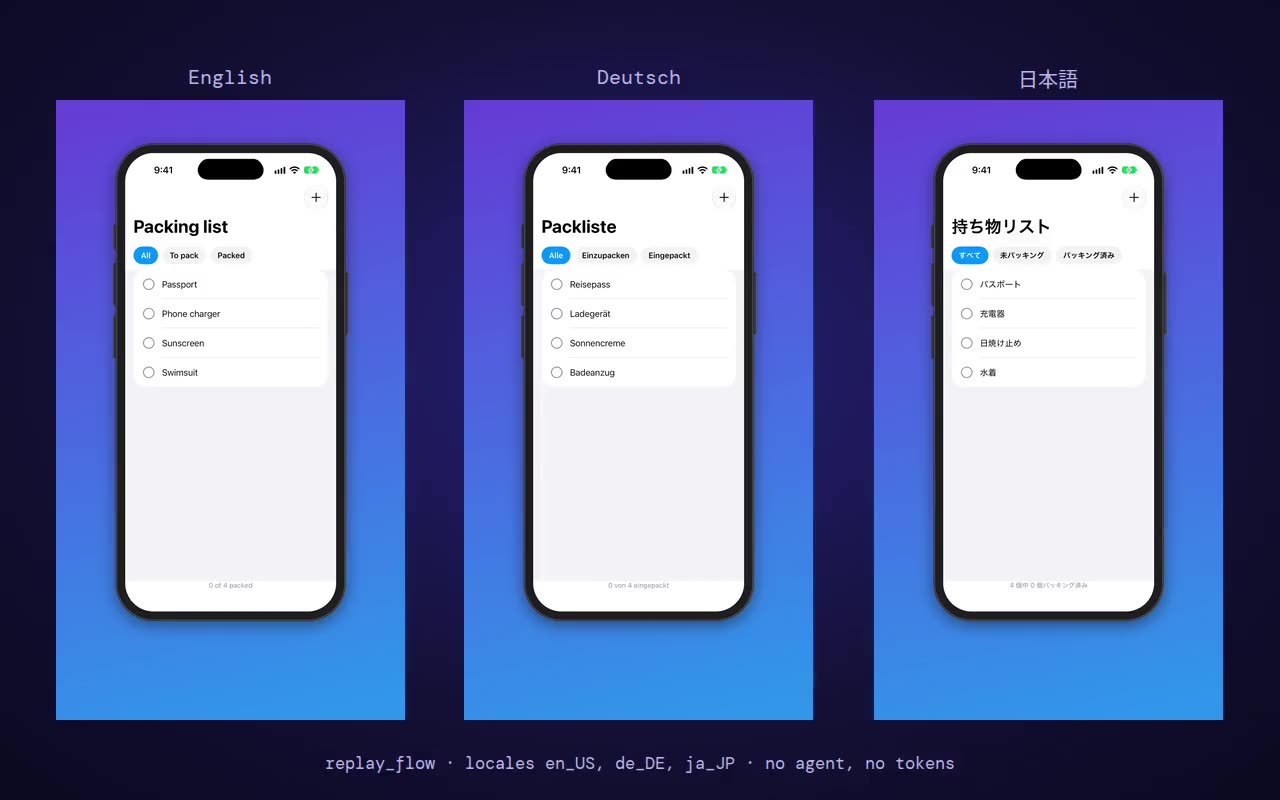
The take then becomes whatever you need with render and export: an App Preview at Apple's sizes (frameless, 30 fps, 15 to 30 seconds, checked before it is written), X, TikTok, YouTube and LinkedIn cuts, and with screenshot the full App Store screenshot set. A clean take is saved as a flow and replays for the next build or another language with no agent at all.
ShowTake is not a test framework: it has no assertions or coverage, and it does not drive Android or real devices. All tools are listed in the tool reference.
How to choose
- Write down the output. "The agent knows its fix works" points to ios-simulator-mcp or MobileBuildMCP. "A video for the App Store or X" points to ShowTake. "The same flow on Android" points to Mobile MCP.
- Check what you already run. If Xcode's own server already builds for you, add a driving server instead of a second build server.
- Keep the tool list small. Every connected server's tools take context in every request. Two or three focused servers beat five overlapping ones.
- Try it on one real flow. Ask the agent to sign in with demo data, open the main screen and change one setting. Watch for wrong taps, slow screenshots and flaky waits.
A good first test prompt for any Simulator server
Boot an iPhone 17 Pro simulator, install and launch the app, then list the
elements on the first screen. Tap the first button in the tab bar, describe
what changed, and take a screenshot. Stop and tell me if anything failed.Setting up ShowTake for Codex, Cursor, Gemini CLI or VS Code takes one command each: see connect your agent.
Film it with your agent
ShowTake is a Mac app with a built-in MCP server: your coding agent drives your app and ShowTake renders the zooms, captions and every export size. Free to try, with a watermark.
Common questions
What is an iOS Simulator MCP server?
It is an MCP server that exposes the iOS Simulator to a coding agent as tools: read the elements on screen, tap, type, swipe, take screenshots and sometimes record video. The agent calls these tools the way it calls file or terminal tools.
Can Claude Code control the iOS Simulator?
Yes, with an MCP server. Add one with claude mcp add, for example claude mcp add ios-simulator npx ios-simulator-mcp, boot a simulator, and ask Claude Code to tap through your app. It reads the accessibility tree to find buttons and fields.
Do these servers work on real iPhones?
Mobile MCP supports real iOS and Android devices, and MobileBuildMCP has device build and install tools. ios-simulator-mcp and ShowTake work with the iOS Simulator (ShowTake also films Mac apps).
Which iOS Simulator MCP server can make videos?
ios-simulator-mcp, MobileBuildMCP and Mobile MCP can record raw screen video. ShowTake films a take and renders it: zooms on each tap, captions, music and exports at App Store, X, TikTok and YouTube sizes.
ShowTake for Mac
Let your coding agent film the demo
Your agent drives your iOS app in the Simulator or your Mac app; ShowTake records every tap and renders zooms, captions, App Store previews, screenshots and social cuts. Free to try, with a watermark.