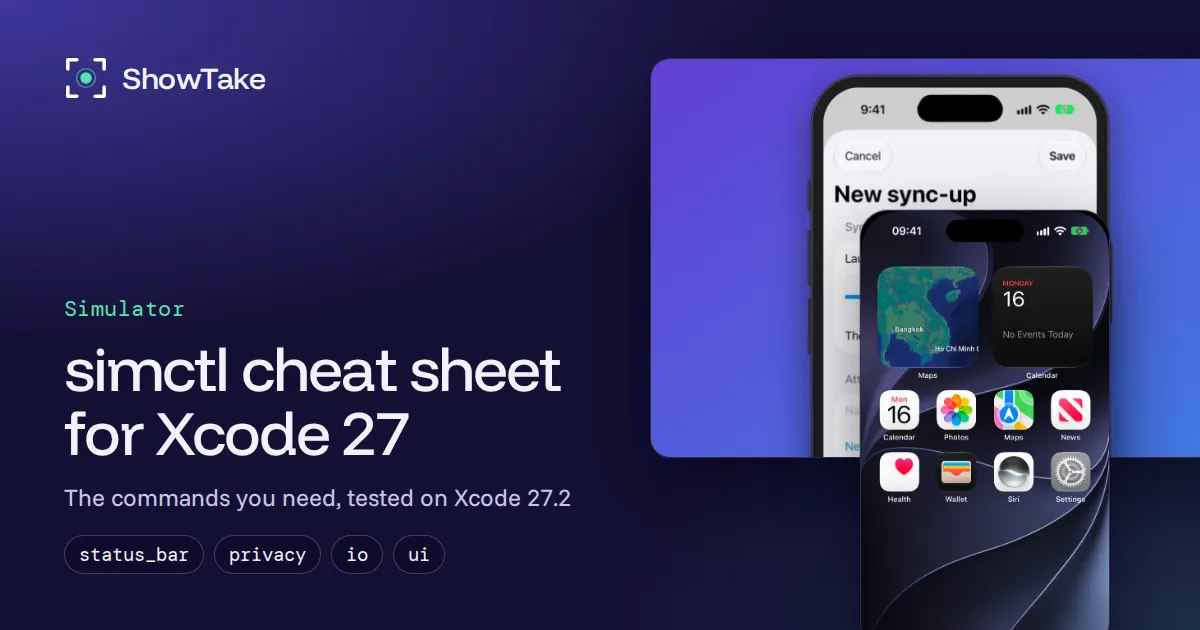
simctl is Apple's command-line tool for the iOS Simulator: you run it as xcrun simctl <subcommand> to create, boot, erase and delete simulators, install and launch apps, and set the status bar, permissions, location, appearance, screenshots and video. It ships with Xcode, so there is nothing to install, and almost every command takes a device UDID or the word booted for the simulator that is running.
The top results for "simctl" are a 2018 article, a Rust crate, Stack Overflow threads and a Medium post. This cheat sheet is current: every command below was run on November 16, 2026 on an M4 Mac mini with macOS 27.2.1, Xcode 27.2 (27B52), the iOS 27.0 runtime and an iPhone 17 Pro simulator, and the screenshots are what those commands produced.
simctl cheat sheet
| Task | Command |
|---|---|
| List devices (or JSON) | xcrun simctl list devices available / xcrun simctl list -j devices |
| Create a device | xcrun simctl create "Demo iPhone" "iPhone 17 Pro" |
| Boot and wait until ready | xcrun simctl bootstatus <udid> -b |
| Shut down / erase | xcrun simctl shutdown all / xcrun simctl erase <udid> |
| Delete old devices | xcrun simctl delete unavailable |
| Install / uninstall an app | xcrun simctl install booted MyApp.app / xcrun simctl uninstall booted com.example.app |
| Launch with logs in Terminal | xcrun simctl launch --console-pty booted com.example.app |
| Open a URL or deep link | xcrun simctl openurl booted myapp://orders/42 |
| Clean status bar | xcrun simctl status_bar booted override --time 9:41 --batteryLevel 100 |
| Dark mode / text size | xcrun simctl ui booted appearance dark / xcrun simctl ui booted content_size accessibility-large |
| Pre-grant a permission | xcrun simctl privacy booted grant photos com.example.app |
| Fake a location | xcrun simctl location booted set 37.3349,-122.0090 |
| Add photos, videos, contacts | xcrun simctl addmedia booted ~/Pictures/a.jpg ~/Movies/b.mov |
| Send a push notification | xcrun simctl push booted com.example.app payload.json |
| Screenshot | xcrun simctl io booted screenshot shot.png |
| Record video | xcrun simctl io booted recordVideo --codec=h264 demo.mov |
| App data folder | xcrun simctl get_app_container booted com.example.app data |
xcrun simctl help lists 41 subcommands in Xcode 27.2, and xcrun simctl help <subcommand> prints the flags of one. If more than one simulator is booted, booted picks one of them, so use the UDID in scripts.
Find, create, boot and delete simulators
Start with the list. available hides devices whose runtime is gone, and -j gives JSON you can parse with jq:
xcrun simctl list runtimes available
# iOS 27.0 (27.0 - 24A434) - com.apple.CoreSimulator.SimRuntime.iOS-27-0

xcrun simctl list devicetypes | grep "iPhone 17"
# iPhone 17 Pro (com.apple.CoreSimulator.SimDeviceType.iPhone-17-Pro)

# The UDID of the first booted device
xcrun simctl list -j devices booted | jq -r '.devices[][] | .udid' | head -1create takes a name, a device type and, optionally, a runtime. Without a runtime it picks the newest compatible one and says so (No runtime specified, using 'iOS 27.0 …'), then prints the new UDID:
UDID=$(xcrun simctl create "Demo iPhone" "iPhone 17 Pro")
xcrun simctl bootstatus "$UDID" -b # boots if needed, returns when the device is readybootstatus -b is better than boot in scripts: boot returns before SpringBoard is up, so the next command can fail. A fresh iPhone 17 Pro took 21 seconds to finish booting on our Mac mini. bootstatus is not in the simctl help list, but it works in Xcode 27.2.
To clean up, shutdown all stops every running simulator, erase <udid> resets one to factory state, and delete removes devices for good. xcrun simctl delete unavailable deletes the devices whose runtime your current Xcode no longer supports; run it after every Xcode upgrade, because those leftovers keep their data on disk. clone copies a configured device, which is the fastest way to get the same clean setup every time.
Install, launch and debug an app
Build for the Simulator first (xcodebuild -scheme MyApp -destination 'platform=iOS Simulator,name=iPhone 17 Pro' build), then:
xcrun simctl install booted ./build/Debug-iphonesimulator/MyApp.app
xcrun simctl launch --console-pty --terminate-running-process booted com.example.myappThe flags worth knowing in launch:
--console-ptykeeps simctl attached and prints the app's stdout and stderr in your terminal; Control-C is passed on to the app. Apple's help notes that log output often goes to stderr, not stdout.--terminate-running-processquits a running copy first, so you always get a cold start.-w(--wait-for-debugger) stops the app at launch until a debugger attaches.- Anything after the bundle id is passed as launch arguments, e.g.
-demoMode YES. - Environment variables use a prefix:
SIMCTL_CHILD_API_BASE=http://localhost:8080 xcrun simctl launch booted com.example.myappsetsAPI_BASEinside the app.
terminate quits the app, uninstall removes it, and listapps prints every installed app with its bundle path. get_app_container booted <bundle id> data prints the app's data folder on your Mac, which is how you inspect its files, databases and UserDefaults plist without a debugger.
Set up the Simulator for screenshots and demos
This is where simctl saves the most time: every setting you would otherwise click through in Settings has a command, so the simulator looks the same in every screenshot and every take.
Status bar
status_bar override fixes the time, signal, Wi-Fi and battery. All flags are optional, but at least one is required:
xcrun simctl status_bar booted override \
  --time 9:41 --dataNetwork wifi --wifiMode active --wifiBars 3 \
  --cellularMode active --cellularBars 4 \
  --batteryState charged --batteryLevel 100 --operatorName ''

xcrun simctl status_bar booted list    # show the overrides
xcrun simctl status_bar booted clear   # back to the real values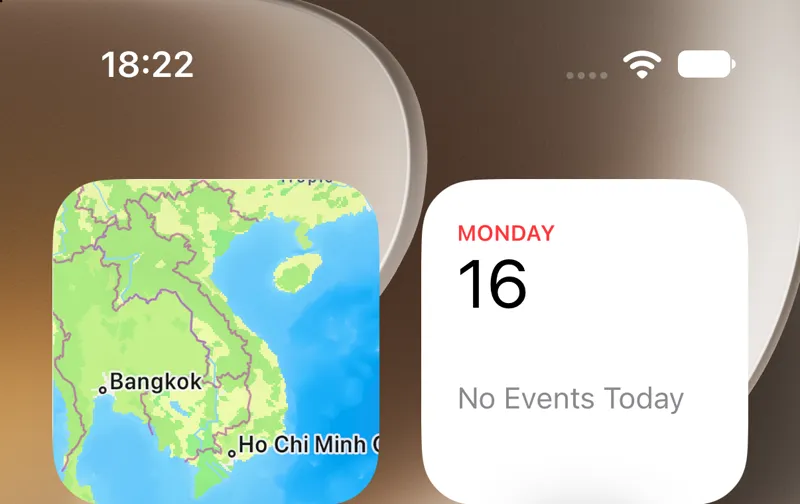
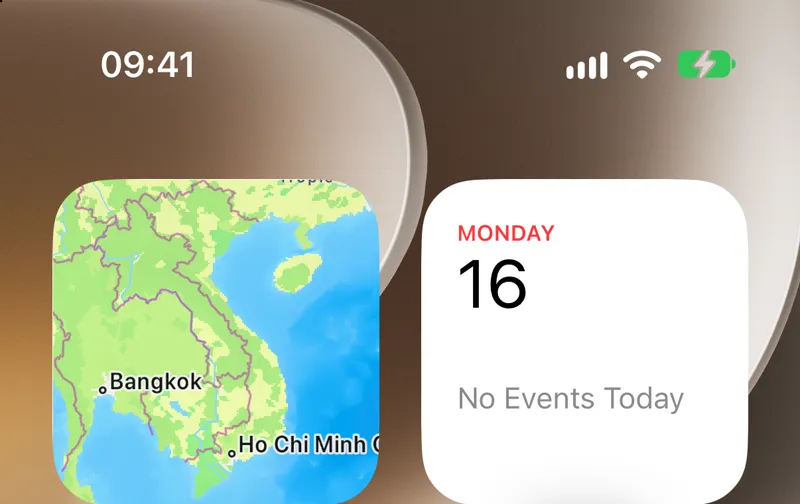
Two things we saw on iOS 27.0. The clock follows the simulator's region: our device used 24-hour time, so --time 9:41 showed 09:41; set a 12-hour region such as en-US for the classic 9:41. And --batteryState charged draws the battery green with a charging bolt. --time also accepts an ISO date, which sets the date on devices that show it.
Appearance, text size and contrast
xcrun simctl ui booted appearance dark                   # or light
xcrun simctl ui booted content_size accessibility-large  # or increment
xcrun simctl ui booted increase_contrast enabledThe text sizes go from extra-small to extra-extra-extra-large, plus five accessibility sizes from accessibility-medium to accessibility-extra-extra-extra-large. Taking one screenshot at the largest accessibility size is a quick Dynamic Type test.
Permissions, location, media and links
# No permission alert in the middle of a demo
xcrun simctl privacy booted grant photos com.example.myapp
xcrun simctl privacy booted reset all          # ask again on next use

# A fixed point, a route, or a built-in scenario
xcrun simctl location booted set 37.3349,-122.0090
xcrun simctl location booted start --speed=15 37.3349,-122.0090 37.3318,-122.0312
xcrun simctl location booted list              # City Run, City Bicycle Ride, Freeway Drive, Apple

# Seed the photo library and test a deep link
xcrun simctl addmedia booted ~/Demo/photo1.jpg ~/Demo/clip.mov
xcrun simctl openurl booted "myapp://orders/42"privacy knows all, calendar, contacts-limited, contacts, location, location-always, photos-add, photos, media-library, microphone, motion, reminders and siri. Some changes terminate the app if it is running, and Apple's help warns that bypassing the prompt "can mask bugs": keep one pass where the real alert appears.
Push notifications
push delivers a remote notification from a JSON file or stdin. The payload needs an aps key and must be 4,096 bytes or less; if it contains a Simulator Target Bundle key you can leave out the bundle id.
echo '{"aps":{"alert":{"title":"Order ready","body":"Your tacos are waiting"}}}' \
| xcrun simctl push booted com.example.myapp -Screenshots and video with simctl io
io screenshot writes the screen at device pixels (1206×2622 on iPhone 17 Pro) with no window frame. --type takes png (default), tiff, bmp, gif or jpeg, and - as the file name writes to stdout.
xcrun simctl io booted screenshot home.png
xcrun simctl io booted screenshot --mask=black framed.png   # black corners and Dynamic Island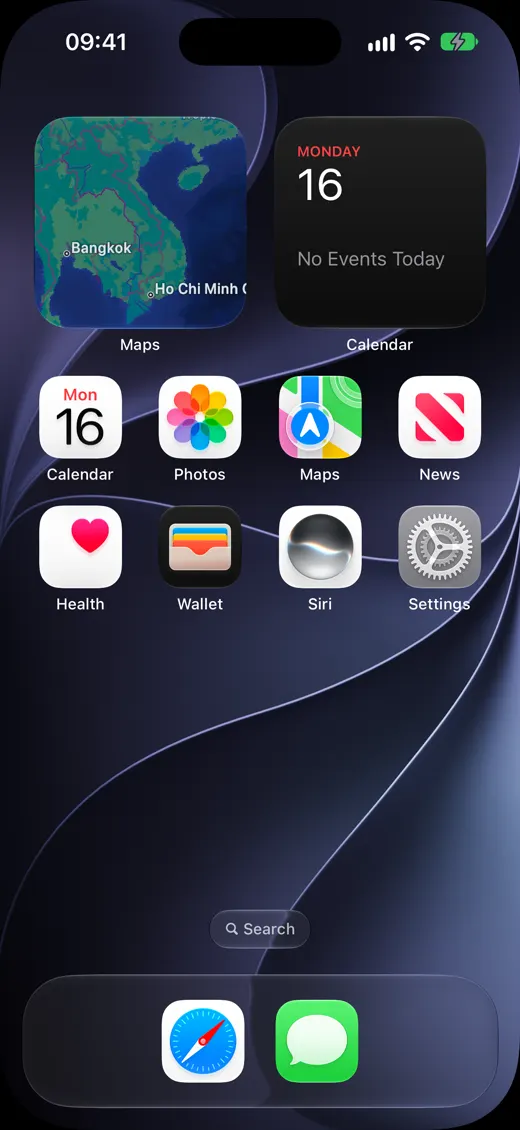
ui appearance dark plus io screenshot --mask=black: the rounded corners and the Dynamic Island are drawn black. Without --mask our screenshots had square corners and no island.For App Store screenshots you need specific pixel sizes per device class; the current list is in App Store screenshot sizes. Video works the same way with io booted recordVideo; codecs, the variable frame rate and how to make the file App Store ready are covered in how to record the iOS Simulator.
recordVideo waits for the first frame before it prints Recording started, and it only writes a frame when the screen changes, so on a still home screen it can sit there with no output. Start it, then interact with the app.
A setup script you can reuse
Put the setup in a script and every screenshot session starts from the same state:
#!/bin/sh
set -e
BUNDLE=com.example.myapp
UDID=$(xcrun simctl create "Screenshots iPhone" "iPhone 17 Pro")
xcrun simctl bootstatus "$UDID" -b
xcrun simctl status_bar "$UDID" override --time 9:41 --batteryState charged --batteryLevel 100 \
  --wifiBars 3 --cellularBars 4 --dataNetwork wifi
xcrun simctl ui "$UDID" appearance light
xcrun simctl install "$UDID" ./build/Debug-iphonesimulator/MyApp.app
xcrun simctl privacy "$UDID" grant photos "$BUNDLE"
xcrun simctl addmedia "$UDID" ./demo-media/*.jpg
xcrun simctl launch "$UDID" "$BUNDLE" -demoMode YES
sleep 3
xcrun simctl io "$UDID" screenshot "$HOME/Desktop/01-home.png"
# when you are done: xcrun simctl delete "$UDID"Fix common simctl errors
| Error | Cause | Fix |
|---|---|---|
unable to find utility "simctl" | Command Line Tools are selected instead of Xcode | Select Xcode (command below) |
Source is not authorized on push | The app has no notification permission | Ask for permission in the app, allow it |
| A command hangs, no file | macOS asks for folder access | Write to /tmp or your home folder |
No Recording started | The screen has not changed yet | Interact with the app |
A command fails after boot | The device is not ready | Use bootstatus <udid> -b |
For the first error, point the developer directory at Xcode and check that simctl answers:
sudo xcode-select -s /Applications/Xcode.app/Contents/Developer
xcrun simctl helpWhere simctl stops, and what films the demo
simctl sets the stage, but it cannot tap, type or swipe: there is no input command among its 41 subcommands. That is why UI tests use XCUITest and why coding agents use MCP servers to drive the Simulator (we compared them in iOS Simulator MCP servers). And a raw screenshot or recording is still raw: no zoom on what changed, no captions, no App Store sizes.
ShowTake does both parts for demos. Your coding agent prepares the app with prepare_ios, which builds it, clones a clean simulator with the status bar at 9:41, pre-grants permissions, seeds photos and a location (the same settings as above, without the script), then drives the app through its accessibility tree and films the take. The render zooms on every tap and turns the agent's step captions into on-screen captions.
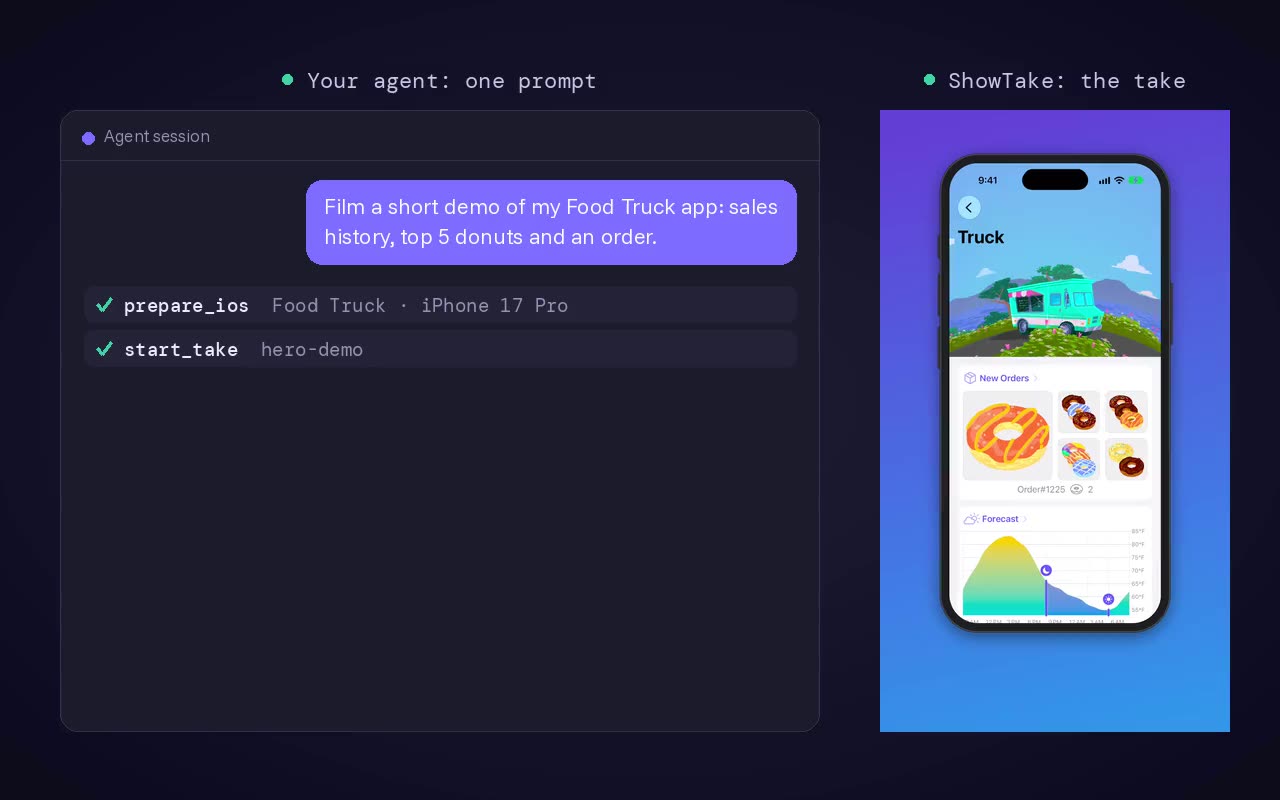
What ShowTake does not do: it is not a test framework (no assertions), it does not record real devices or Android, and it does not replace simctl for your own scripts. Free vs Pro. The free plan films, adds library music and captions, and exports the X 16:9 preset with a small watermark. Pro adds every other preset, App Previews, App Store screenshots and the launch kit, 4K, batch replays and your own audio files. All tools are in the tool reference; to start, download ShowTake or paste showtake.app into your agent.
Film it with your agent
ShowTake is a Mac app with a built-in MCP server: your coding agent drives your app and ShowTake renders the zooms, captions and every export size. Free to try, with a watermark.
Common questions
What is simctl?
simctl is Apple's command-line interface to the iOS Simulator (and the watchOS, tvOS and visionOS simulators). It is part of Xcode, lives inside the CoreSimulator framework, and you call it through xcrun simctl so it always matches the selected Xcode.
How do I install simctl?
Install Xcode from the Mac App Store or Apple's developer site. The Command Line Tools alone do not include it. If xcrun simctl says it cannot find the utility, point xcode-select at Xcode as shown in the error table above.
What does "booted" mean in simctl commands?
booted stands for the simulator that is running. If several are running, simctl picks one of them, so scripts should pass the UDID from xcrun simctl list devices instead.
How do I delete all simulators?
xcrun simctl delete all deletes every simulator device, and xcrun simctl delete unavailable deletes only the ones your current Xcode cannot run. Runtimes are separate: xcrun simctl runtime list shows them and xcrun simctl runtime delete --unusable (or --notUsedSinceDays <days>) removes them.
Can simctl tap or type in the Simulator?
No. simctl controls the device (boot, apps, settings, media, screenshots) but has no input commands. Use XCUITest for tests, or an MCP server or ShowTake when a coding agent should drive the app.
ShowTake for Mac
Let your coding agent film the demo
Your agent drives your iOS app in the Simulator or your Mac app; ShowTake records every tap and renders zooms, captions, App Store previews, screenshots and social cuts. Free to try, with a watermark.